Demo analysis
CS2 Demo Not Working After an Update? Watch Old Demos
Why CS2 demos break after every big update, why re-downloading or a demo fixer won't help, and how to watch an old demo in a browser 2D replay.
Updated November 18, 2026
You downloaded the demo of a match from last week, CS2 has updated since, and now the demo won't start: playdemo throws an error, the game reports that the demo is incompatible with this game version, or it loads for a moment and drops you back to the main menu. Old demos often stop working like this after big CS2 updates. Here is why, what you can and can't do about it in the game, and how to watch the demo in your browser instead.
Why an old demo stops working after an update
A .dem file isn't a video. It stores the match as game data — positions, shots, grenades — and CS2 plays it back by rebuilding the match with the game code you have installed right now. When an update changes how the game describes players, weapons or the map, the current build can no longer read a recording made by the previous one.
That's why the problem shows up right after a patch and can affect demos recorded before it:
- the game stops with the message “Demo file is incompatible with this game version.”;
- the demo starts loading, then the game freezes or returns to the main menu;
The file itself is fine. Downloading the same match again gives you the same file with the same game version inside, so it fails the same way.
Rule out the simple causes first
Before you blame the version, check two things that look the same from the outside:
- The game finished updating. If CS2 was running while the update was released, close it, restart Steam and let the update install. A demo recorded on the new version won't play on an old client either.
- The file is a plain
.dem. FACEIT and some other sites give you.dem.zst,.gzor.bz2archives. CS2 can't play those until you unpack them — see the FACEIT demo guide.
If the game is up to date, the file is an unpacked .dem and the match was played before the latest update, it's the version mismatch.
What you can and can't do in CS2
We don't know of any setting or console command that makes the current CS2 play an older-version demo. Renaming the file, moving it to another folder or launching it from the Watch menu instead of the console changes nothing.
The “Allow Demo Version Mismatch” option in the demo settings doesn't change this: by its own description, it only lets TrueView try to work on a demo recorded by another version.
The only way we know to watch it inside the game is to run the build of CS2 the demo was recorded on. The Steam client has a hidden console (opened with steam://open/console), and its download_depot command downloads an older version of a game's files — one depot at a time, so you need the depot and manifest IDs of every depot of that build (sites like SteamDB list them). The result is a separate copy of the whole game — tens of gigabytes — and you can't play online with it. For reviewing a single match it's rarely worth the effort.
Watch the old demo in your browser with GetReplay
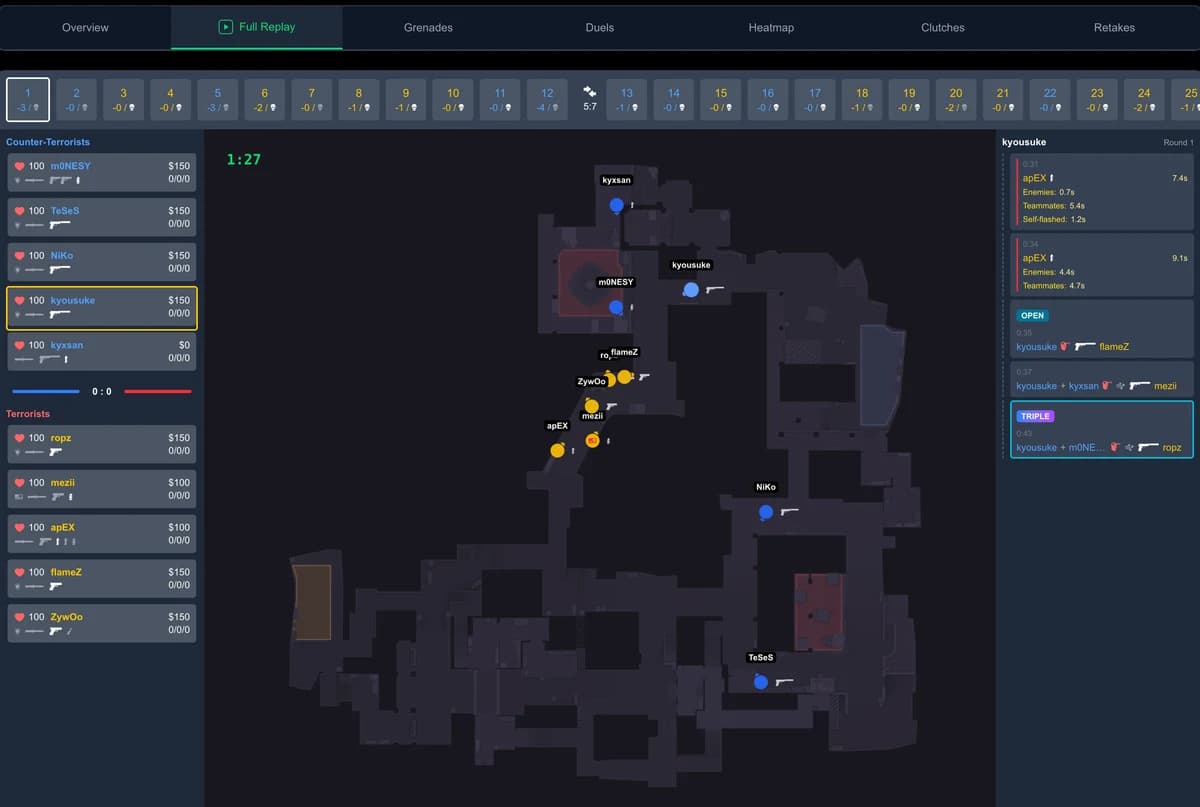
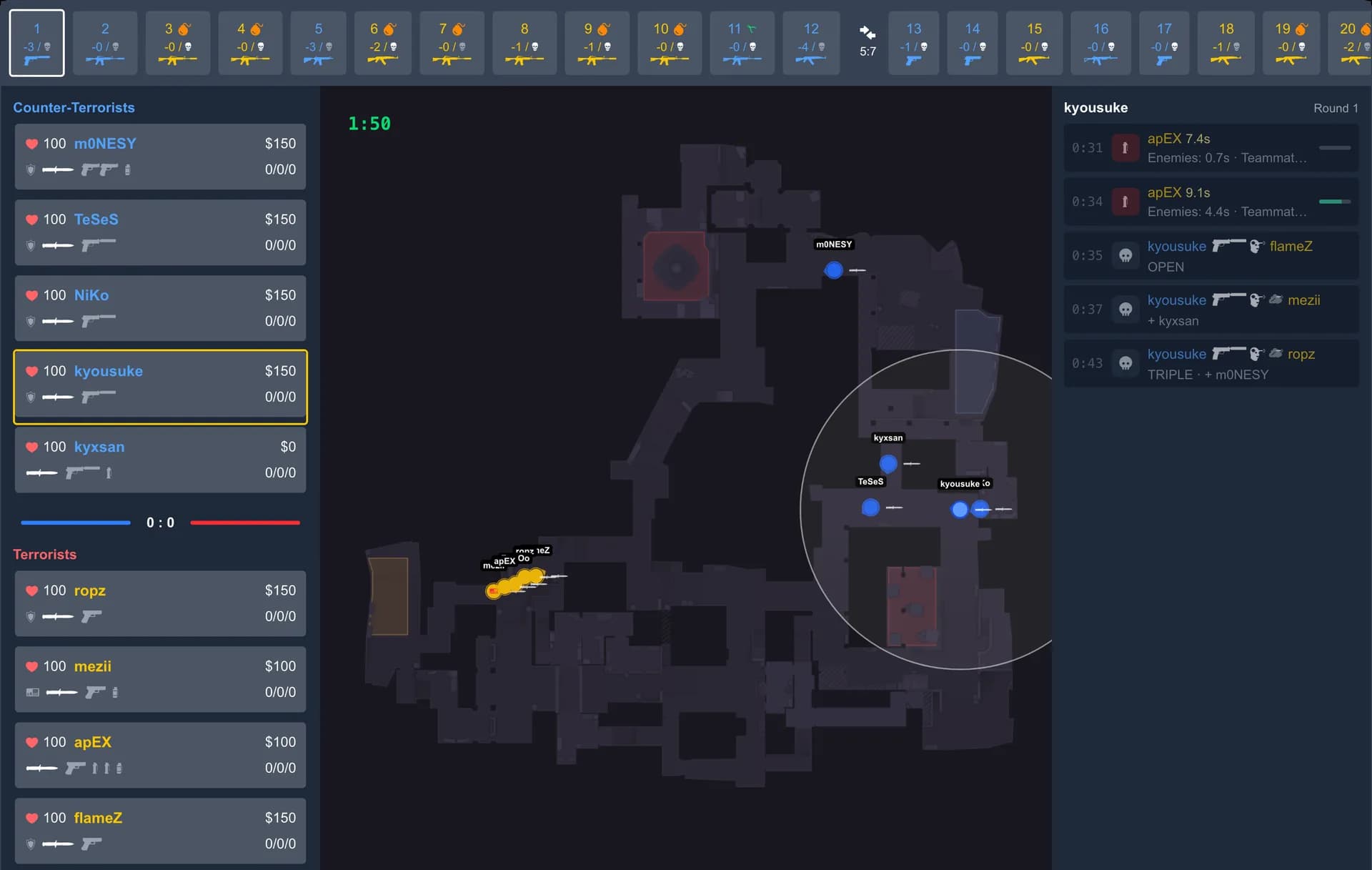
GetReplay doesn't replay the demo inside the game. It reads the file on its own server and turns it into a 2D replay in your browser, so the version of CS2 installed on your PC doesn't matter. We checked it after the CS2 update of 12 November 2026: FACEIT demos of matches played before it were processed after it without errors.
- Sign in with Steam or FACEIT.
- Upload the demo — a
.dem, or a.zst,.gz,.bz2or.ziparchive as it is, no unpacking needed. - Open the match once processing finishes.
You get a top-down view of every round: player positions and movement, kills, grenades and a timeline you can scrub round by round. It's not a first-person view or a free camera, so it doesn't replace watching the demo in CS2 — but it's enough to review rounds, duels and utility from a match the game can no longer open.
Open your CS2 demo
Upload a match to review rounds, positions and duels in a 2D browser replay.
- Sign in with Steam or FACEIT
- Choose a demo file
- Open the processed match
.dem, .zst, .gz, .bz2 or .zip. Upload compressed demos as they are.
Sign in first, then choose your file here. Steam match-history setup is not required for a manual upload.
This guide is about CS2 demos. We don't promise that GetReplay opens demos from CS:GO.
Review matches before the next update
The easiest way to avoid this problem is to review a match while it's fresh instead of leaving the demo until after the next patch. If you link your Steam match codes once, new Premier and matchmaking matches show up in GetReplay on their own, with no file to find or upload. It's optional: manual upload works without it.
For the usual ways to open a fresh demo — playdemo, the Watch menu and the browser — see how to watch a CS2 demo.
FAQ
Why does CS2 say “Demo file is incompatible with this game version”? The demo was recorded on an older build of CS2. After an update the game can no longer rebuild a match from data written by the previous version, so it refuses to play the file.
Is there a CS2 demo fixer? There are community tools that patch old demos, but we haven't tested them and they come with no guarantee. To simply review the match, open the original file in GetReplay — it doesn't need fixing.
Can I still watch an old demo in CS2?
Only by running the game build the demo was recorded on, which means downloading an older copy of CS2 through Steam's download_depot command. Re-downloading the demo doesn't help.
Will GetReplay open a CS2 demo from before the latest update? The CS2 version on your PC doesn't matter: GetReplay reads the file on its server instead of playing it in your game. After the 12 November 2026 update, FACEIT demos of matches played before it were processed without errors.
Can I watch an old CS:GO demo? This guide covers CS2 demos only. We don't promise that GetReplay opens CS:GO demos.